Skip to content
FXSHAREROBOTS / METATRADER 4

Forex Renko Scalper

A fully automated Renko strategy for MetaTrader 4. Consecutive price bricks provide the trigger, a moving average filters direction, and the EA manages execution—with a Renko indicator included.

AUTOMATED EA + INCLUDED RENKO INDICATOR

The chart engine and trading strategy, together.

Every license includes a Renko indicator at no extra cost. The EA runs the programmed Renko scalping strategy, so you do not need to purchase a separate chart indicator to use this package.

DEFAULT STRATEGY

Follow the bricks. Confirm the direction.

Default settings use 10-pip Renko bricks and a 100-period simple moving average. Both are adjustable.

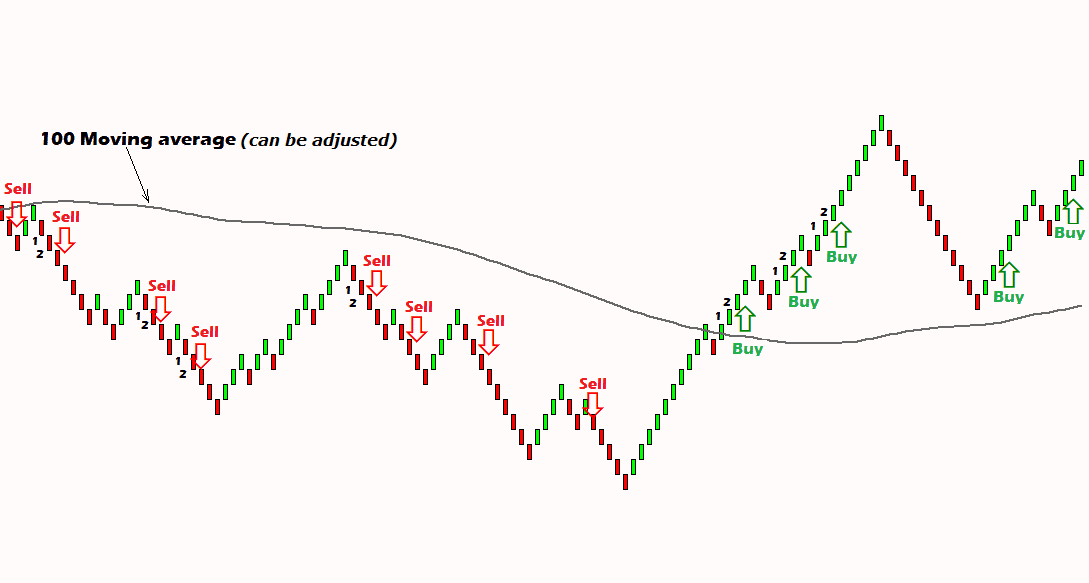
With the moving-average filter enabled and standard entry direction selected, price must be above the moving average and at least two green Renko bricks must form consecutively.

With the moving-average filter enabled and standard entry direction selected, price must be below the moving average and at least two red Renko bricks must form consecutively.

The reverse option changes the entry direction. The moving-average settings can be adjusted, or the filter can be disabled so entries depend on Renko brick color.

renko scalper
Renko Scalper entry conditions — select to enlarge

Price-based entries

Renko bricks form from price movement rather than a fixed candle timeframe. Set the brick size to control chart sensitivity.

Adjustable trend filter

Use the moving average as a directional filter, change its period, or disable it for brick-color-based entries.

Trade management

The default stop loss is 10 pips. Trailing-stop and reverse options let you configure how the strategy behaves.

INSIDE METATRADER 4

Keep the strategy and controls in view.

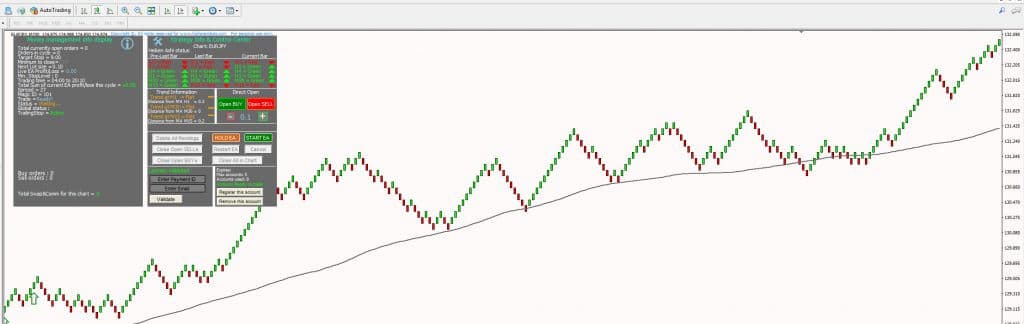
The chart interface brings together the Renko strategy and trading controls. Inspect the original MT4 screenshots and working examples below.

Renko scalper
Renko Scalper control panel — select to enlarge
Renko Scalper chart example
Renko scalping strategy view
CONFIGURATION

Set the conditions around the strategy.

Configure the entry filter, brick size and trade-management settings for your chosen symbols. The manual explains the parameters and the on-chart controls.

HedgeRatio limits the difference between buy and sell trade counts. With a value of 3, examples include three buys versus no sells, four buys versus one sell, or thirteen buys versus ten sells.

Spread protection was added in version 1.3. Use the parameter guidance in the manual when configuring your broker and symbols.

The EA supports multi-pair operation and is described for Forex, metals, stocks, commodities and cryptocurrencies available through MT4.

The original starting example is $150 with 0.01 lot for a single pair. Appropriate sizing depends on the symbol, margin requirements and configuration.

A new brick forms when price moves sufficiently beyond the previous brick according to the selected brick size. There is no fixed time interval for each brick. Renko can help you examine directional moves, support and resistance, and signals from other indicators.
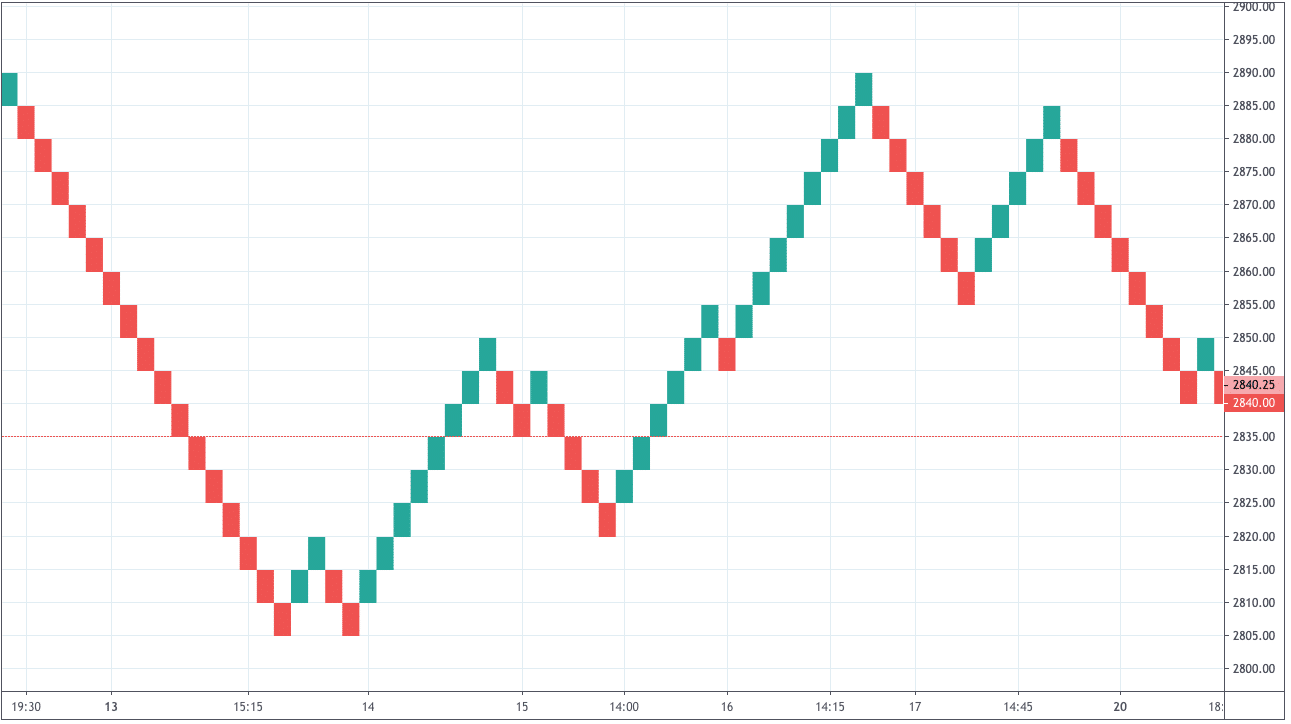
Renko price-brick illustration
Renko chart comparison
LIFETIME LICENSING

Choose one, three or nine accounts.

All plans include lifetime licensing, free future updates and a Renko indicator. Choose the account allowance that suits your setup.

BASIC

Basic

1 account · Lifetime license

Forex Renko Scalper EA
Renko indicator included
Free future updates

ADVANCED

Advanced

3 accounts · Lifetime license

Forex Renko Scalper EA
Renko indicator included
Free future updates

PROFESSIONAL

Professional

9 accounts · Lifetime license

Forex Renko Scalper EA
Renko indicator included
Free future updates
Supplied default configuration

INSTALLATION & DOCUMENTATION

Install the complete Renko package.

The installer prepares the required MetaTrader 4 components. Use the user manual for parameter details and the video walkthrough for installation and operation.

Installation & usage

PRODUCT UPDATES

Version history.

Added spread protection.

Added adjustable moving-average settings and the option to disable the filter and trade according to Renko brick color.

Added HedgeRatio to limit the difference between buy and sell trade counts.

Initial release.

Updates are free for existing owners. Sign in to My Account, open Downloads, then download and reinstall the product.

Open My Account ↗

HISTORICAL ACCOUNT RECORDS

Inspect the archived statements.

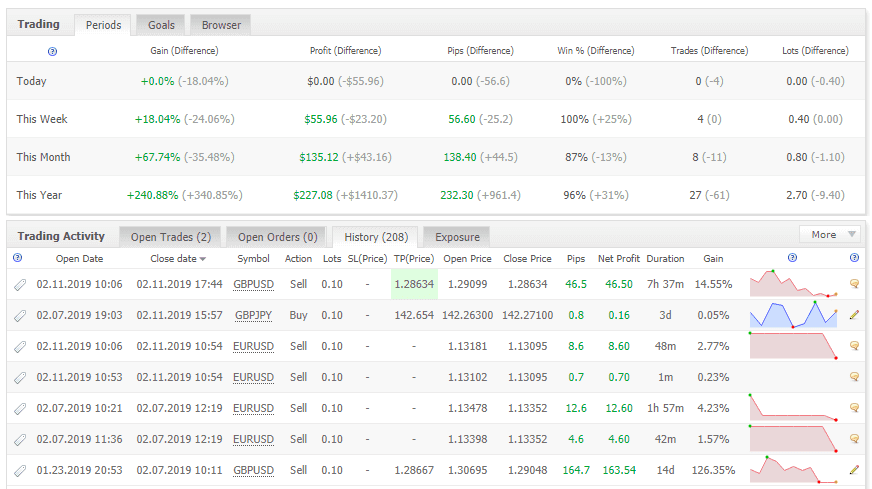
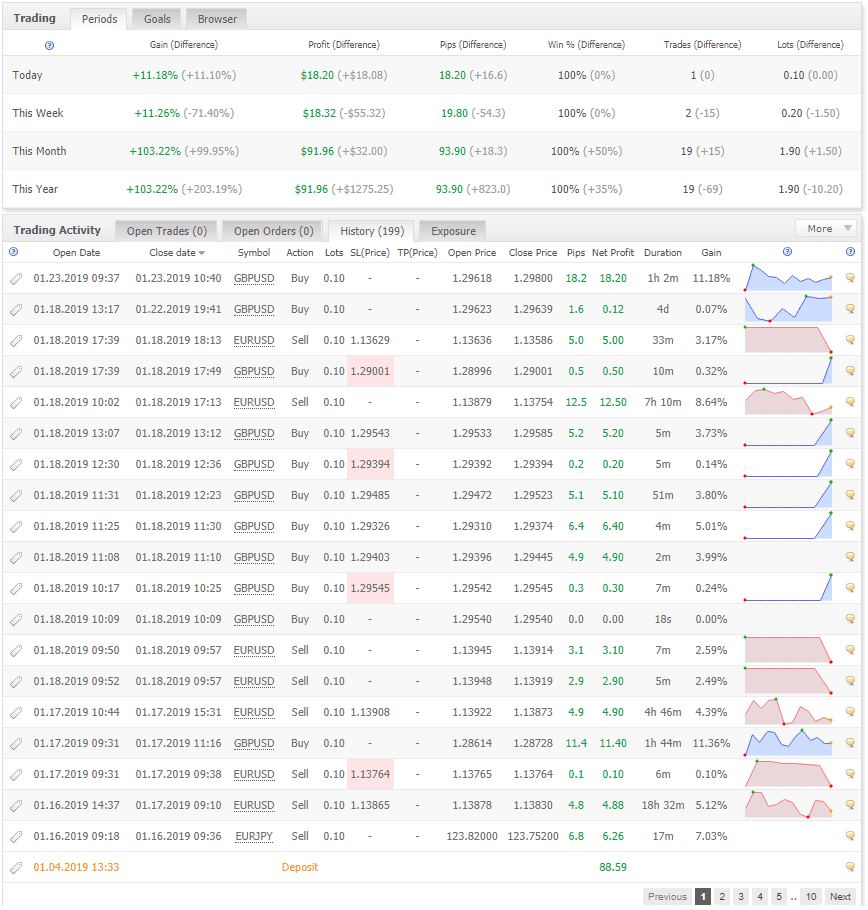
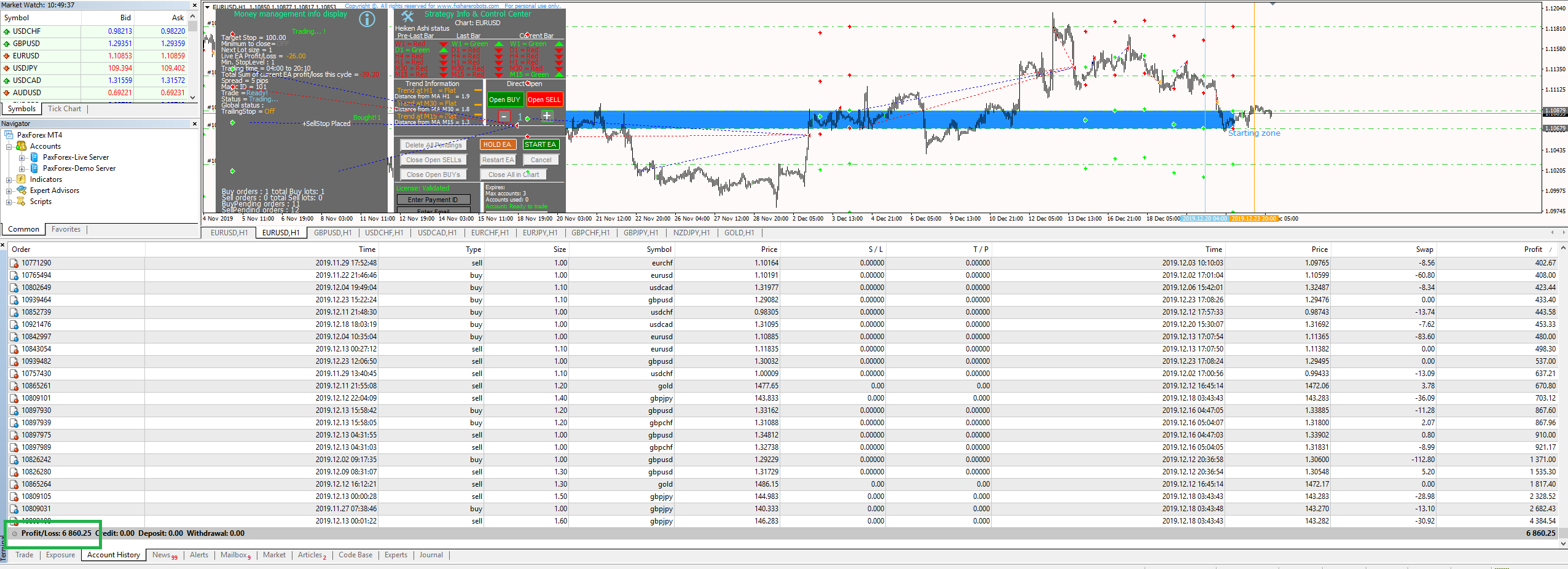
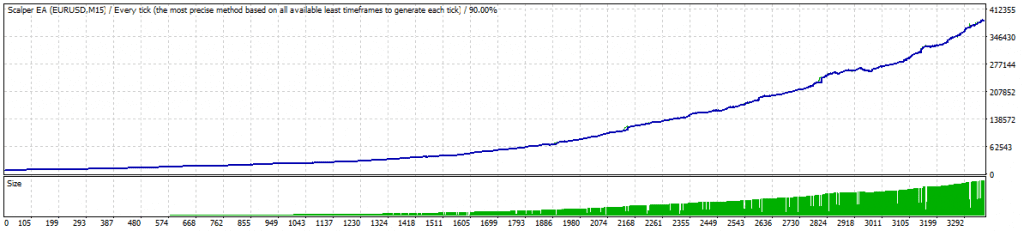
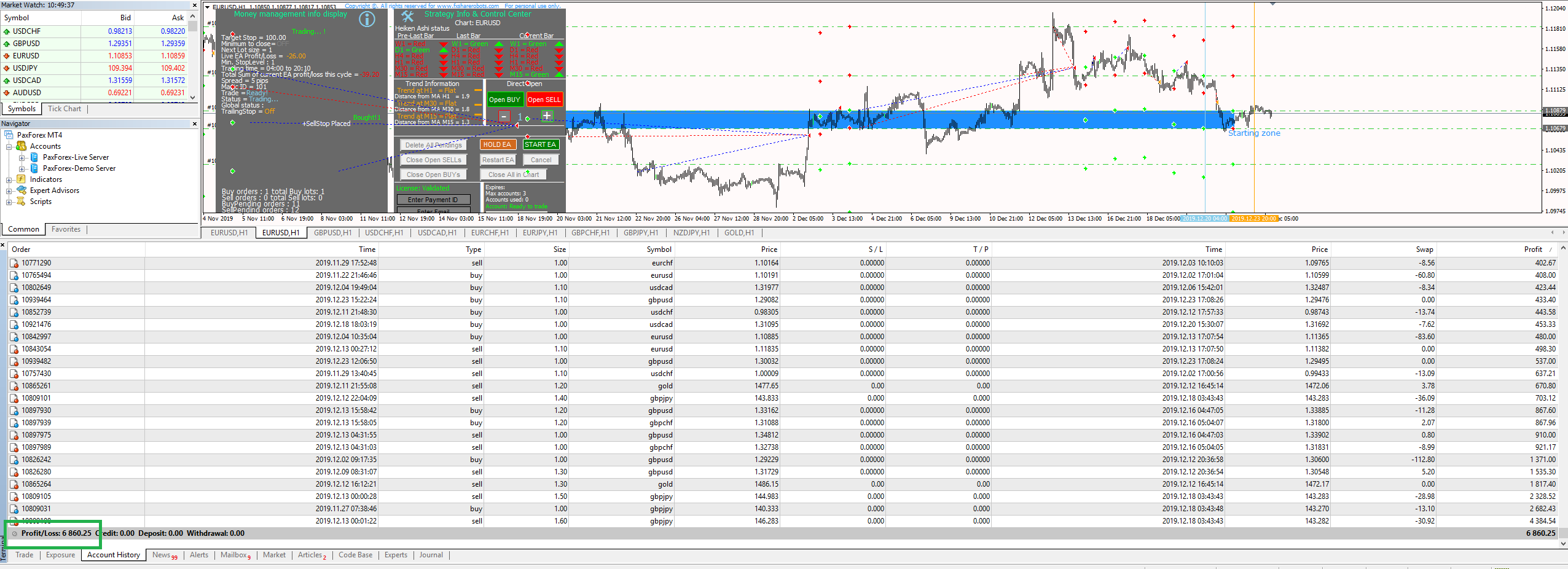
Review the historical live-account test and Myfxbook statement images. The test notes discuss GBP and JPY pairs and low-spread pairs such as EUR/USD.

Historical trading account statement
Historical Myfxbook statement
PRACTICAL QUESTIONS

Complete strategy or chart tool?

Yes. Every Forex Renko Scalper plan includes a Renko indicator at no extra cost.

Renko Charts PRO provides a Renko chart workspace for manual trading or separate indicators and EAs. Forex Renko Scalper provides the automated trading strategy and includes the chart indicator it needs.

No. Renko bricks are based on price movement. Brick size determines the chart’s price sensitivity.

Setup help

Use the manual for settings or contact support for installation and licensing questions.

Back To Top
1
  • Item added to cart
1
Your Cart
Renko Scalper EA 3 Accounts
291+ shoppers have bought this
Renko Scalper EA 3 Accounts
Price: $69
- +
$69
    Apply Coupon