

Skip to content
MetaTrader 4 · Five entry methods

Universal Trading EA

One EA.
Five ways to enter.

Build an automated trading setup around MACD, moving averages, bar direction, candle count or a custom channel. Bring the entry rules, trading hours and money management together in one MT4 Expert Advisor.

universal trading EA — automated MetaTrader trading software
Platform

MetaTrader 4

Fully automated Expert Advisor

Strategy

Configurable multi-strategy EA

Timeframe

Any MT4 timeframe

Match the timeframe and symbol to the strategy you configure.

License

Unlimited accounts

Lifetime version · Free future updates

How it works

Build the rules around your trading style.

Choose one of five entry methods, then adjust normal or reversed trade direction, time restrictions, targets and lot management. Separate magic numbers allow multiple charts to maintain distinct trading records.

In focus

UniTrade / Universal Trading System

Configurable entries. Visible controls. Your trading parameters.

Indicator entries

Choose MACD or SMA and set the indicator values used by the entry logic.

Price-action entries

Use bar direction or candle count. For example, count three candles up and configure an entry on the next bar.

Channel entries

Define a custom channel and configure trading inside or outside its lines.

universal trading system
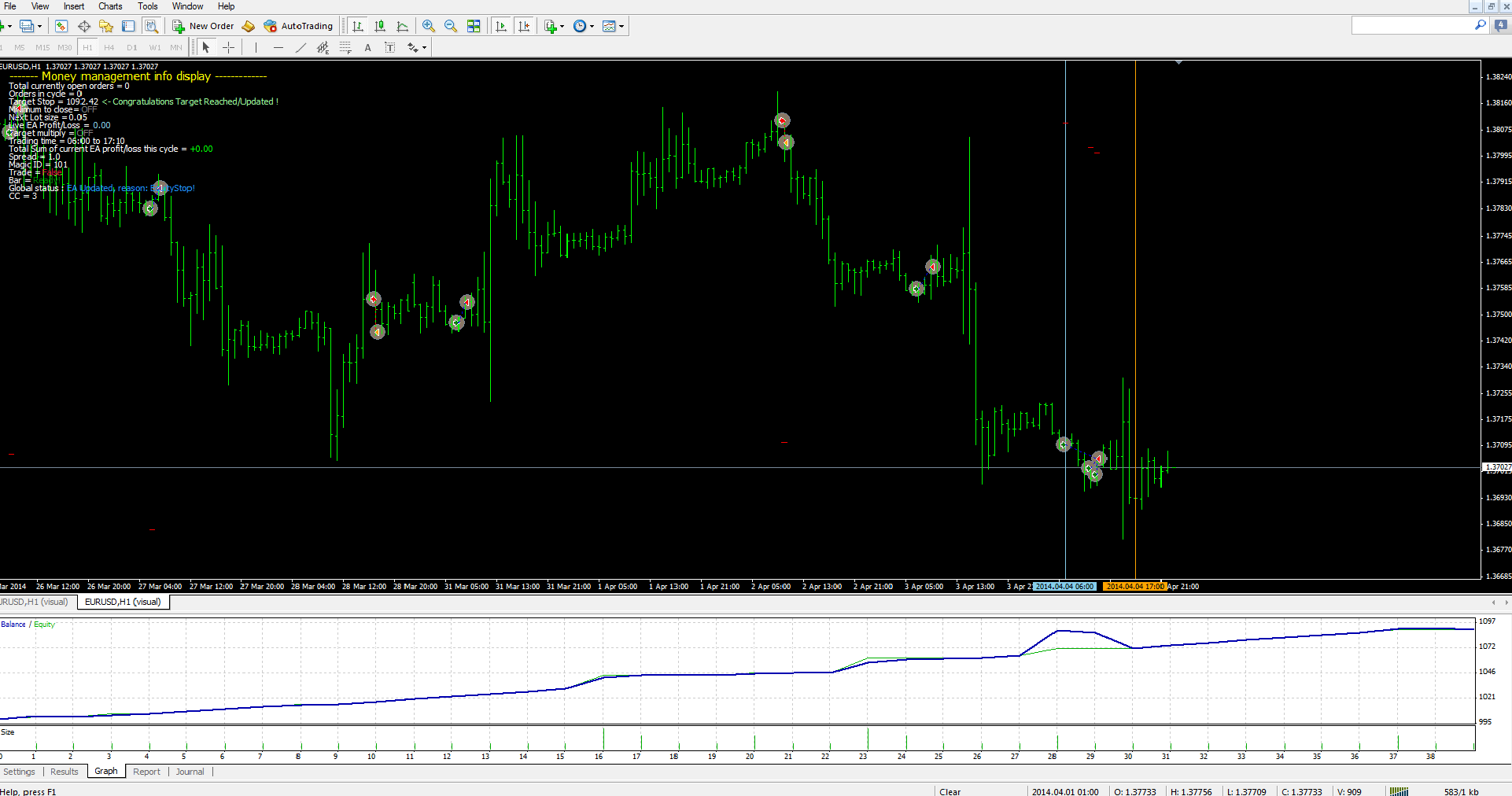
Universal EA MT4 trading display · Select to enlarge
Inside MetaTrader 4

A working view of your EA.

Enable the money-management display to follow the trading process. The v3.0 update added on-chart close/restart buttons and manual lot-size control alongside the HedgeRatio parameter.

Select the display image to inspect the interface at full size.

A closer look

Explore the settings.

Universal EA MT4 trading display

EntryPoint: 1 = MACD, 2 = BarDirection, 3 = SMA, 4 = Candle Count, 5 = Channel. Set the MACD, SMA or channel parameters for the selected method.

CandleCount: number of same-direction candles used by the CC method. EntryMode: 1 = normal direction, 2 = reversed. Channel mode supports trading inside or outside its lines.

StopLoss / TakeProfit: distances in pips. Target: desired cycle profit in the account currency. Slippage: allowed value in pips. Lot: default position size.

LotRise: enables lot escalation. With it off, the EA uses the fixed default lot. LotMode 1: rise each order; mode 3: rise each day if the target is not reached; mode 4: rise every X orders. Set X to the interval you want. Manual mode 2 was removed in v1.9.

TargetMultiply: doubles the next target after a losing cycle when enabled. ProfitTrailing: configure the trailing-profit settings when used.

Time settings: restrict the trading window. MidNightClose: close all trades at midnight when enabled.

MaxOpenOrders: maximum order count. MaxLot: maximum lot limit. UseEquityMin / equityMinimumToClose: enable an equity threshold for closing orders.

EquityStop: leave at 0 for an automatically updated balance-plus-target level after a successful cycle, or set a specific balance level at which to close trades.

Switch the money-management display on or off. Give each chart a separate MagicNumber when using multiple pairs, so trades and memory files remain separate. The memory system writes logs in the MT4 folder to help resume trading after a restart.

Licensing

One license. Your MT4 setup.

Unlimited accounts, a lifetime version and free future updates. Choose the license for your MT4 trading setup.

For MetaTrader 4

Unlimited

Unlimited accounts
Lifetime version
Free future updates

What’s included

One .set file and a user manual are included. Default settings provide a starting point for configuring and testing your chosen strategy.

Load your chosen settings and check the setup in MT4’s Strategy Tester and on a demo account before using it live.

Version 3.0 added HedgeRatio, the updated visual trading display, close/restart buttons, manual lot-size control and code refinements.

HedgeRatio example: a value of 3 limits the difference between buy and sell order counts to three, such as 3 buys / 0 sells or 4 buys / 1 sell.

The earlier UniTrade v1.9 settings explanation notes that manual lot-rising mode 2 was removed in that version.

Keep exploring

Find the right setup for you.

Compare the tools, explore packages or ask us a product question.

Back To Top
1
  • Item added to cart
1
Your Cart
Universal Trading System
105+ shoppers have bought this
Universal Trading System
Price: $55
- +
$55
    Apply Coupon