

Channel Trading EA
Build the channel.
Choose how to trade it.
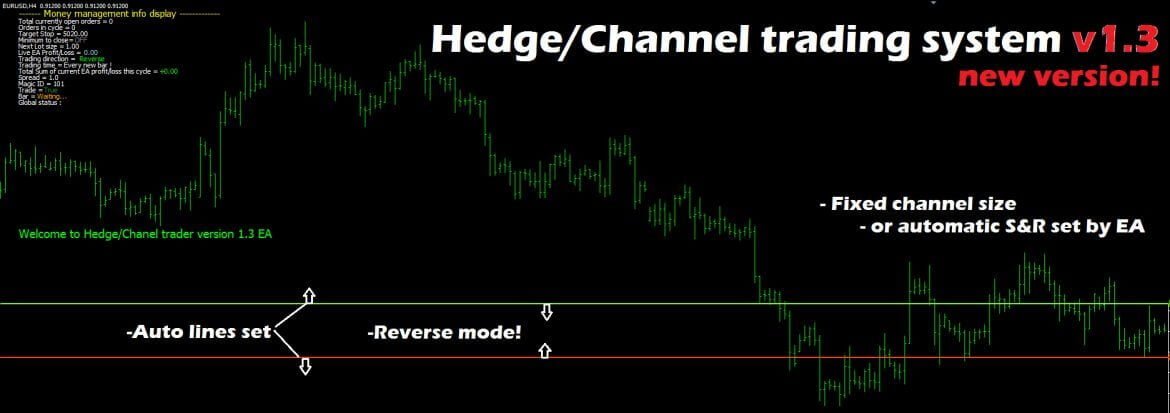
Use automatically calculated support and resistance or define a fixed-width channel. Switch between breakout and reversed entries, with configurable lot management and hedging.
Automatic channel
ChannelStyle = 1 calculates levels from a candle lookback range. Adjust the range and refresh buffer; buffer = 1 requests the latest levels.
Fixed channel
ChannelStyle = 2 uses a custom channel width. Set the distance to match the structure you want to trade.
The rules behind the automation.
EntryMode = 1 uses breakout logic: buy above the green line and sell below the red line. EntryMode = 2 reverses the trade direction for bounces and retracements inside the channel. Trading hours, lot-rising controls and protection settings are adjustable.
M15–H4
MetaTrader 4 · Automatic execution
Unlimited accounts
See the product in MT4.
Inspect the chart or display at full size, then expand the gallery below for the remaining images and inputs.
The gallery retains historical test examples alongside the product views. Test screenshots describe past runs rather than expected live results.
Version 2.0: added spread protection, memory-file fixes, manual lot entry and trailing-stop fixes.
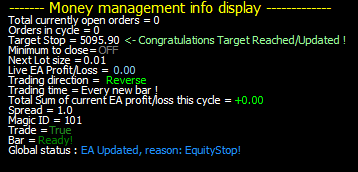
Different magic numbers separate multiple chart instances. Memory log files help retain cycle information after a platform restart.

Make it part of your MT4 setup.
Choose the unlimited-account lifetime version for your trading setup.
What’s included
Includes the MT4 Expert Advisor with preconfigured default settings, unlimited accounts and a lifetime version.
Start with the supplied settings, then check the configuration in Strategy Tester and on a demo account.
Find the right tool for your approach.
Compare the range or ask us about this product before choosing your setup.