

Moving Averages PRO
Turn a three-moving-average crossover strategy into an automated MT4 workflow. Define the trend, configure your exits and manage trades from the on-chart control panel.
MetaTrader 4 · Multi-pair · FIFO compatible
MetaTrader 4
Three MA crossover
M15–H1 · H1 preferred
FIFO · No hedging
Three speeds. One directional setup.
The EA uses fast, medium and slow moving averages. Their periods are configurable; 3, 55 and 200 are the default values.
Entry logic combines a fast/medium crossover with the separation, alignment and direction of all three averages.
Default MA period
Default MA period
Default MA period
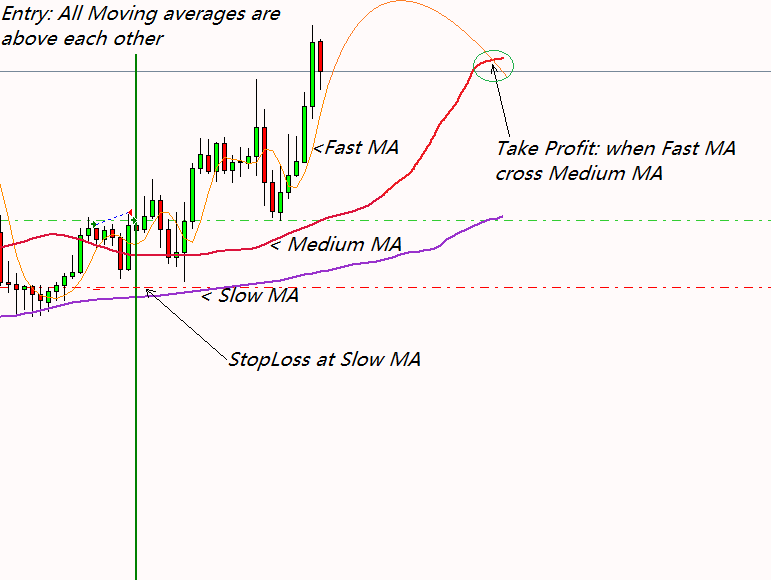
Trade the crossover in context.
Buy alignment: the fast MA is above the medium and slow averages, and the medium MA is above the slow MA.
Sell alignment: the fast MA is below the medium and slow averages, and the medium MA is below the slow MA.
The averages must be separated and point in the same direction. The fast MA crossing the medium MA supplies the entry trigger, with the slower averages defining the directional context.
Choose how the trade ends.
The default fixed stop loss is placed at the slow moving average’s price when the trade opens. Optional trailing stops can move that level as the trade develops.
With take profit set to zero, the EA exits when the fast moving average meets the medium moving average, according to the position’s direction.
Set a take-profit distance in the EA settings if you prefer a price-based exit.
A trade can close when price reaches the trailing-stop level. A tighter trail leaves less room for price fluctuations. The original setup notes cite 30–60 pips as a tested example; choose values for your symbol and configuration.
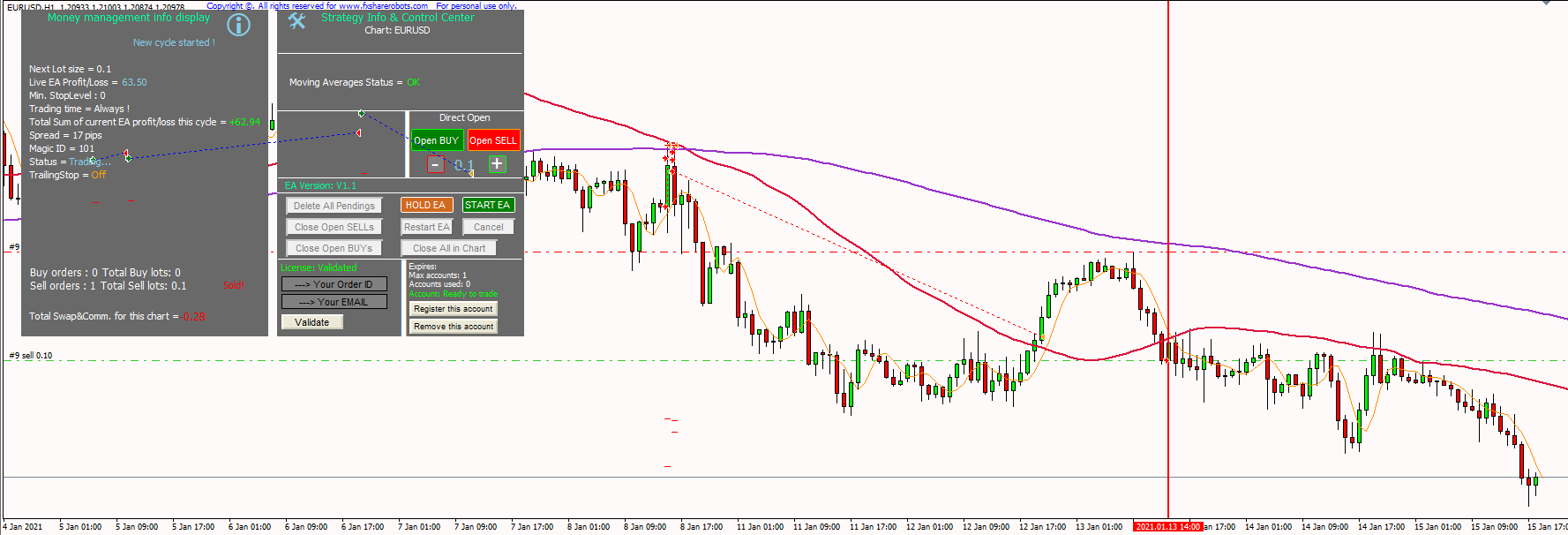
The strategy inside MT4.
Use the control panel to start the EA and manage trades manually when needed. Inspect the interface, trailing stop and multi-pair examples below.
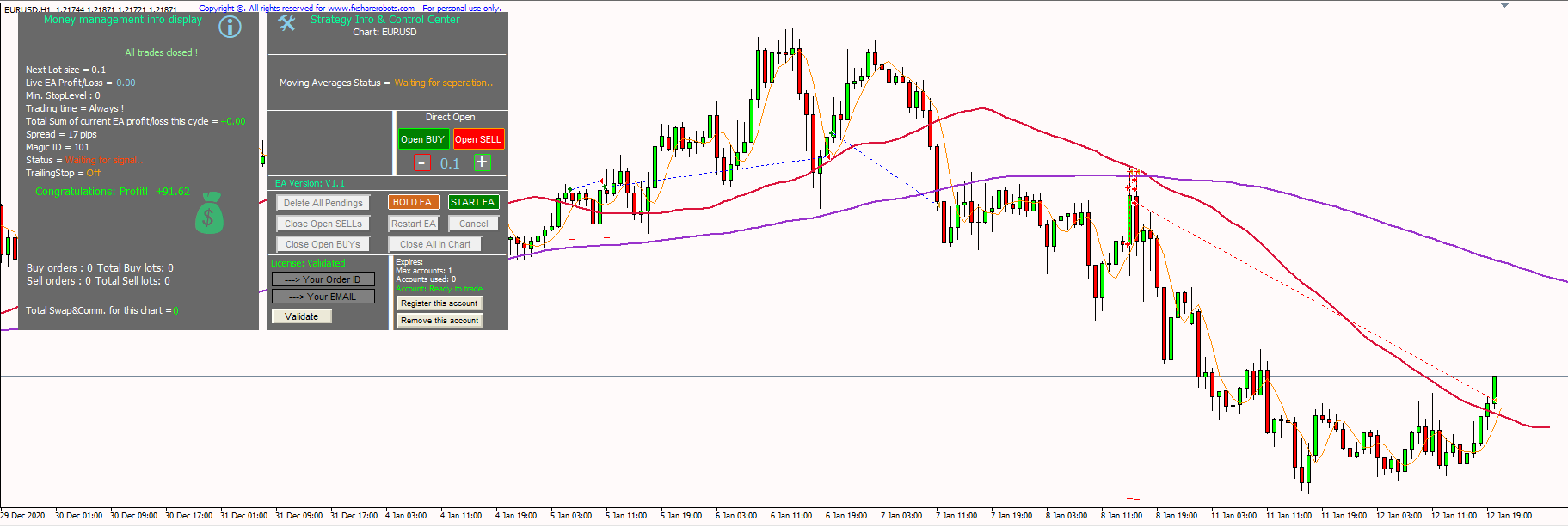
One setup for each symbol.
Run the EA on several symbols by assigning each chart a unique Magic Number. For example: EUR/USD 101, USD/JPY 102 and GBP/JPY 103.
These identifiers let the EA distinguish the trades belonging to each chart.
The source supports Forex pairs, metals, stocks, commodities and cryptocurrencies where offered by your MT4 broker. M15–H1 is the specified timeframe range, with the higher timeframe preferred.
The original configuration examples are $50 with 0.01 lot for one pair and $10,000 with 0.1 lot for multi-pair use. Sizing depends on symbol specifications, margin and the selected settings.
The EA does not use martingale or exponential lot increases. Fixed-lot trading and a maximum permitted drawdown setting are available. Consult the manual for the full parameter list.
The strategy does not hedge and is described as FIFO compatible. Check your broker’s account rules when configuring the EA.
Choose your account capacity.
Pay once for the account allowance you need. All plans include future updates and FIFO-compatible software; Professional adds the EUR/USD preset used in the historical test.
Basic
1 account · Lifetime license
Full Moving Averages PRO EA
Free future updates
FIFO compatible
Standard software configuration
$59Add to cart
Advanced
3 accounts · Lifetime license
Full Moving Averages PRO EA
Free future updates
FIFO compatible
Standard software configuration
$79Add to cart
Professional
9 accounts · Lifetime license
Full Moving Averages PRO EA
Free future updates
FIFO compatible
Includes the tested EUR/USD .set file
$99Add to cart
Set up the complete system.
The installer prepares the EA, supporting files and templates. In MT4, choose File → Open Data Folder, copy the folder path and give that path to the installer.
Two EA files are installed. Launch the one named Moving Averages PRO to start the complete system, activate the license and use the Start EA control.
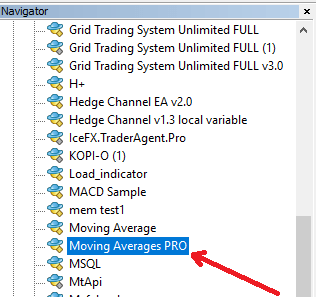
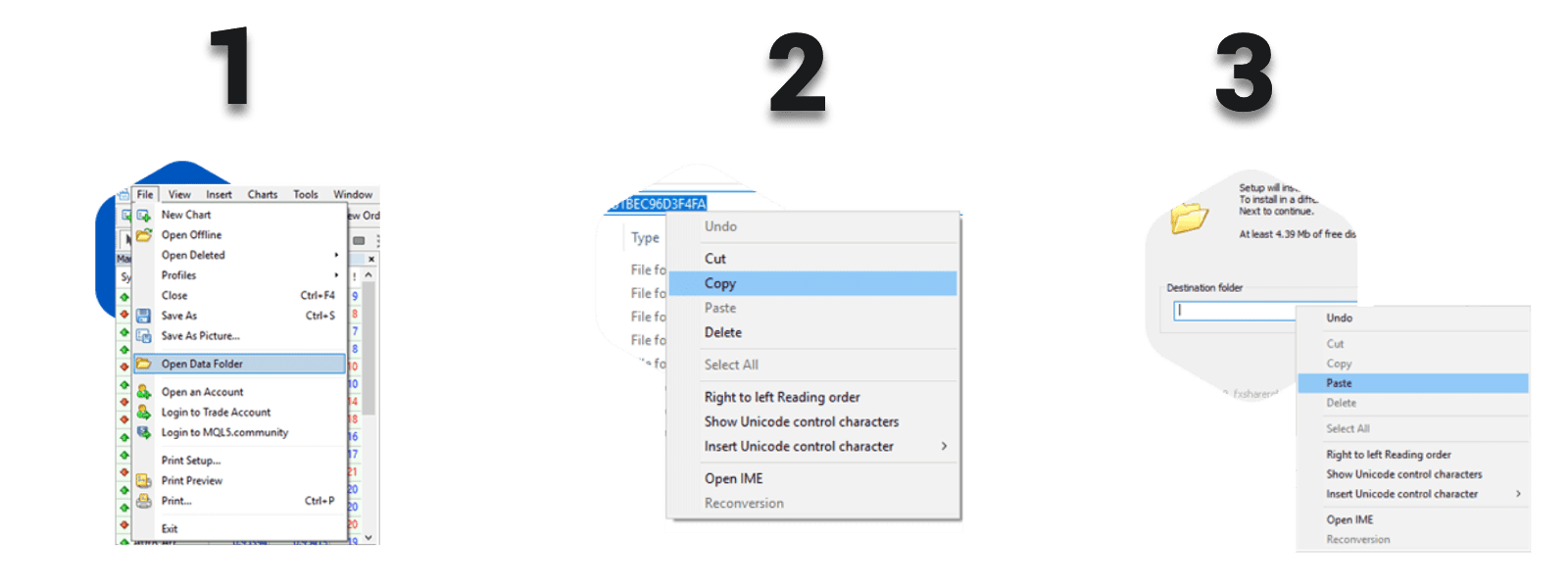
Review the settings and use MT4’s Strategy Tester with Visual mode to understand the crossover and exit rules. The Professional license includes the EUR/USD preset used in the published historical test.
Explore the EUR/USD record.
The published test uses EUR/USD on H1 over approximately two years. The historical results image and full report are available alongside the strategy explanation.
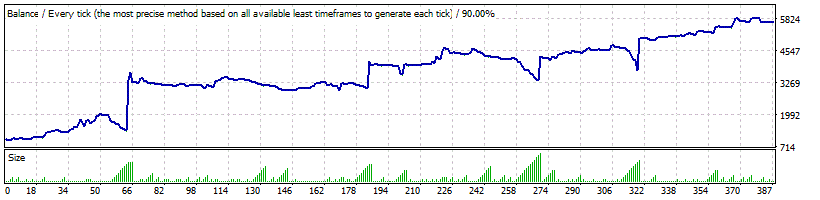
A few setup questions.
Yes. The fast, medium and slow defaults are 3, 55 and 200. They can be changed in the EA settings.
Professional, with a nine-account allowance, includes the .set file used in the published EUR/USD test.
Yes. The on-chart control panel provides manual trade controls alongside automated operation.
Need a parameter explained?
Read the manual for detailed settings or contact support for installation and licensing help.