Forex Scalping EA
Short timeframes.
Clear control.
Automate your scalping setup with adjustable trading hours, lot management and reverse mode. Follow the trading cycle directly on your MT4 chart.
MetaTrader 4
Fully automated Expert Advisor
Short-timeframe scalping
M1–H1
M15 is a practical starting point for testing.
Unlimited accounts
Lifetime version · Free future updates
Your setup, running on your MT4 chart.
The EA can run on multiple symbols using separate magic numbers. Its memory files log the trading process and support continuity after a platform restart or connection interruption.
Scalping Strategy System v3.0
Configurable entries. Visible controls. Your trading parameters.
Choose your trading window
Set trading hours and run the EA on the chart and timeframe you want to use.
Set your position size
Choose automatic or manual lot sizing and configure the available protection settings.
Adjust the trading direction
Use reverse mode to test the opposite side of the same trading logic.
A working view of your EA.
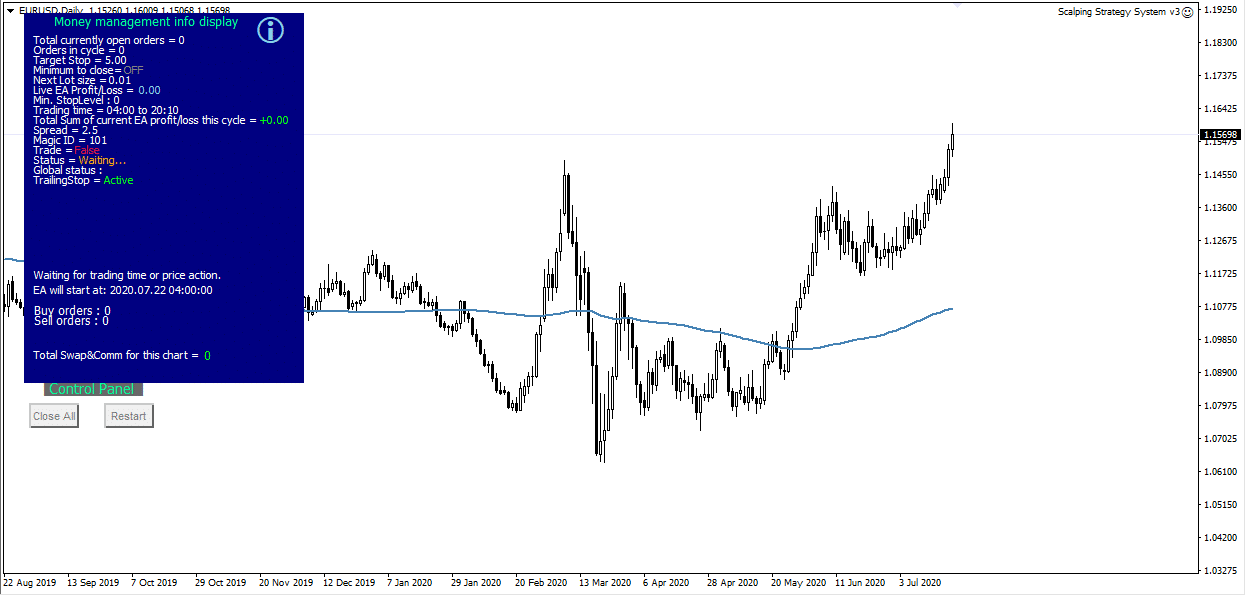
A compact information display follows market and money-management activity. On-chart buttons let you close the EA’s trades and restart the trading process.
Select the image to inspect the chart at full size.
Chart views & configuration.
A compact information display follows market and money-management activity. On-chart buttons let you close the EA’s trades and restart the trading process.
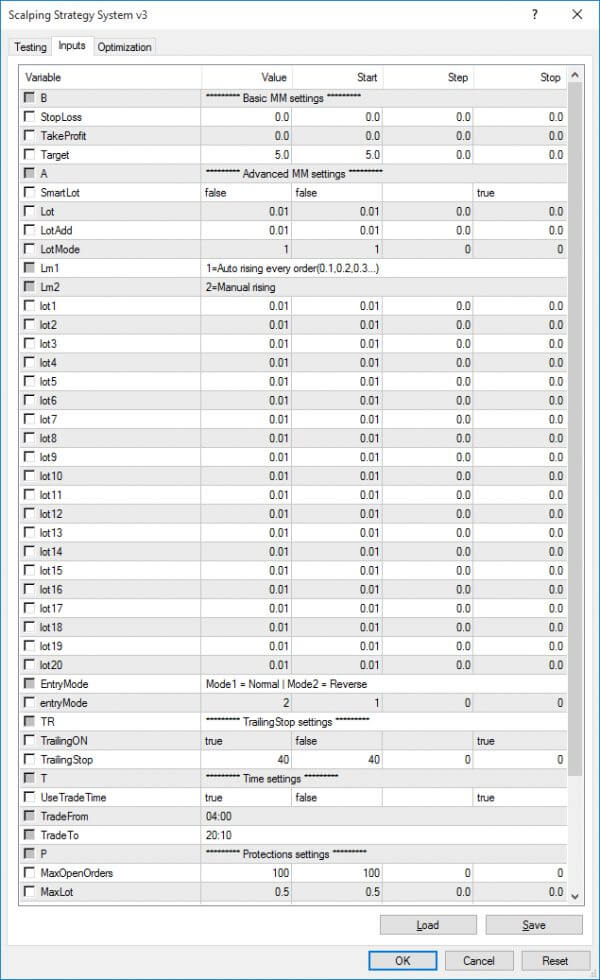
Choose automatic or manual lot sizing and adjust the EA’s available protection options. Use a different magic number for each chart when running several symbols. Supported instruments depend on your MT4 broker.
One license. Your MT4 setup.
Unlimited accounts, a lifetime version and free future updates. Choose the license for your MT4 trading setup.
What’s included
One .set file and a PDF user manual are included. The guide explains each parameter and how it affects the trading setup.
Load your chosen settings and check the setup in MT4’s Strategy Tester and on a demo account before using it live.
Version 3.0 introduced the visual market and money-management display, on-chart close/restart controls and an updated system core.
The upgraded 2025 build is listed as tested on Windows 10 and Windows 11.
Find the right setup for you.
Compare the tools, explore packages or ask us a product question.